- Website
- Facebook Messenger
- Navigate to Channels
- From the left-hand menu, click Deploy → Channels.
- Select WhatsApp
- Locate the WhatsApp card (middle option).
- You will see a brief description:
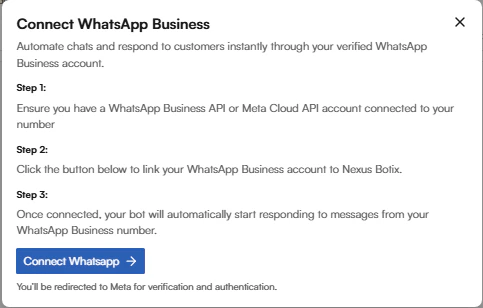
- Complete WhatsApp Business Setup
- You will be guided to:
- Link a WhatsApp Business account
- Verify your phone number
- Grant required permissions to Nexus Botix
- Activate the Bot
- Once connected, the status will change from Not connected to Connected.
- Your AI chat agent will now automatically respond to customer messages on WhatsApp.
- Navigate to Channels
- From the left menu, click Deploy → Channels.
- Select Messenger
- Locate the Messenger card (right option).
- The description states:
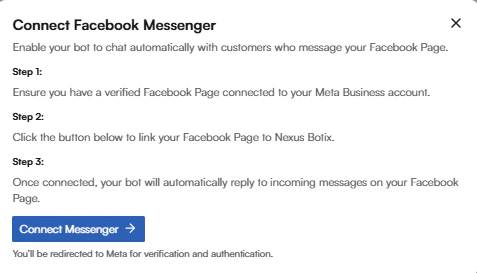
- Link Your Facebook Page
- Log in to Facebook when prompted.
- Select the Facebook Page you want the chatbot to manage.
- Grant Nexus Botix permission to access messages.
- Enable Automation
- Once approved, the chatbot is activated for Messenger DMs.
- The connection status will update to Connected.